HTTP Request
Using HTTP request action you can make GET/POST/PUT/PATCH/DELETE requests. For example, in this way, you can emulate buttons on Sony TV using built-in API: 1. Enter the title and choose the icon 2. Choose POST method 3. Enter URL (you can save requests only with not empty URL) 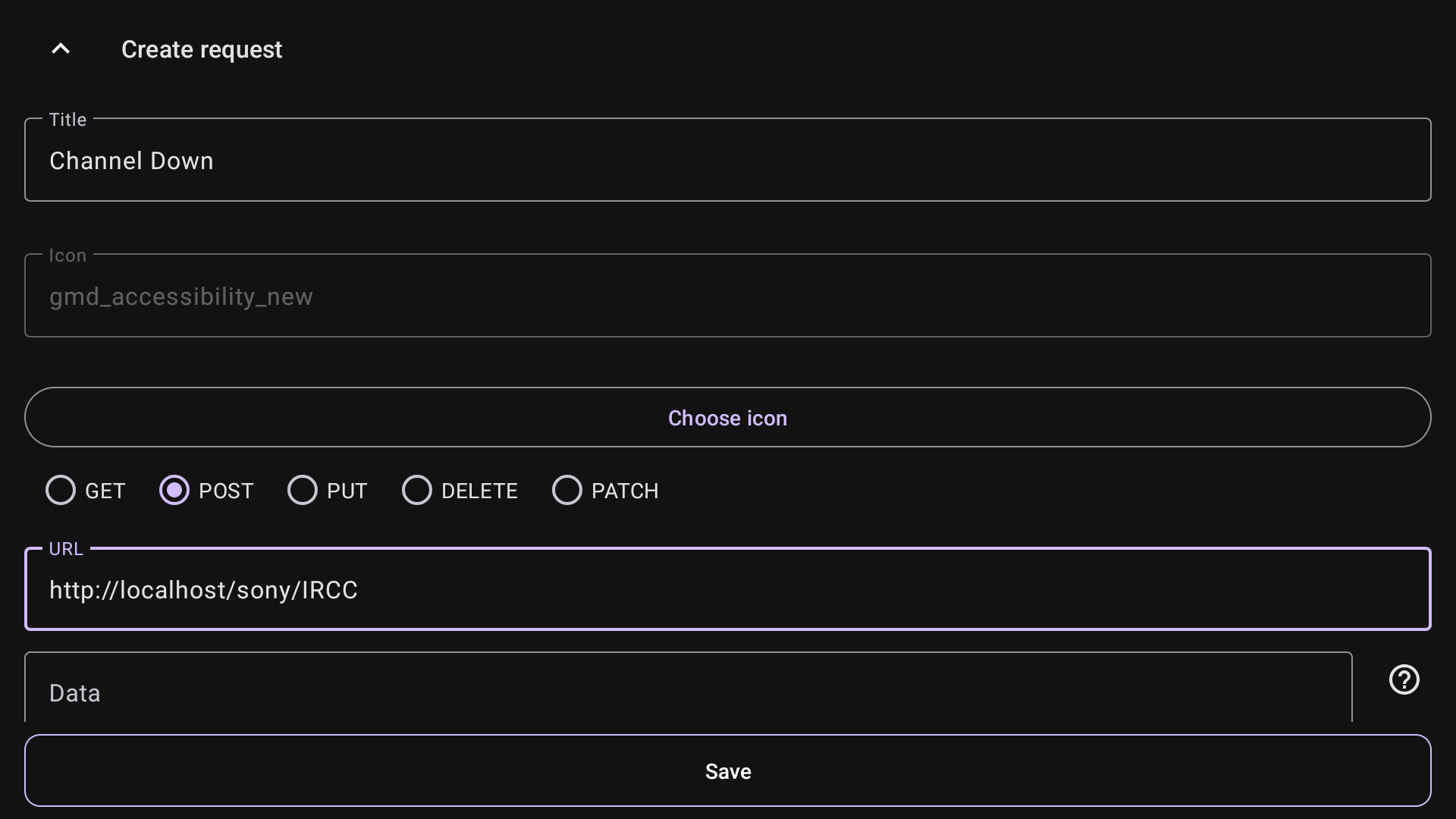 4. Enter the body into the Data field
<?xml version="1.0"?><s:Envelope xmlns:s="http://schemas.xmlsoap.org/soap/envelope/" s:encodingStyle="http://schemas.xmlsoap.org/soap/encoding/"><s:Body><u:X_SendIRCC xmlns:u="urn:schemas-sony-com:service:IRCC:1"><IRCCCode>AAAAAQAAAAEAAAARAw</IRCCCode></u:X_SendIRCC></s:Body></s:Envelope>
Headers: Content-Type text/xml: charset=UTF-8
SOAPACTION: "urn:schemas-sony-com:service:IRCC:1#X_SendIRCC"
X-Auth-PSK: 0000
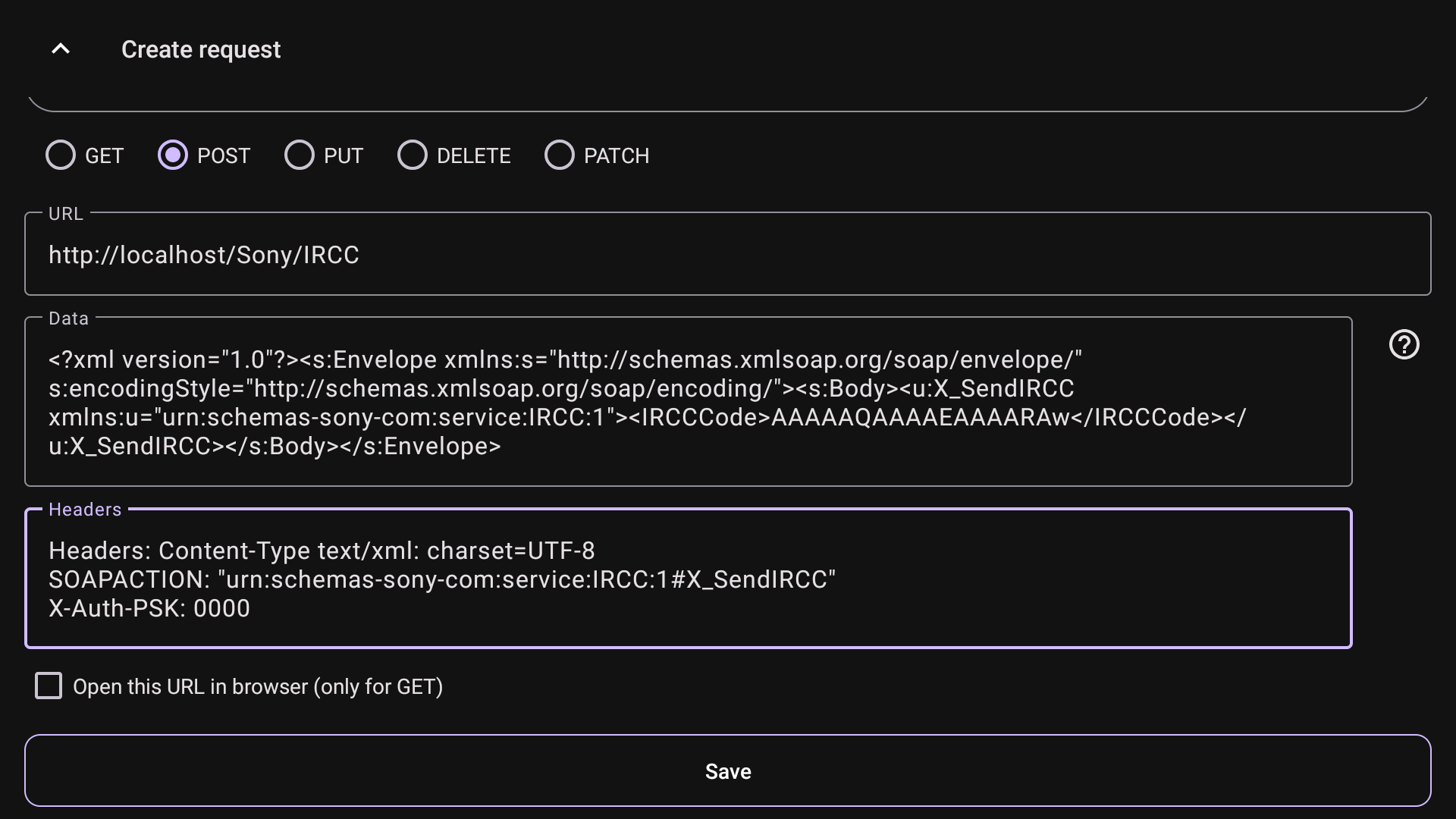 6. Save it and choose for button. Now when you run the action, the Channel Down button will be emulated
 NOTICE
It is just an example and can contain errors. If it doesn't work with your Sony TV, make sure that you enable Pre-Shared Key network authentication and your PIN 0000. More data about Sony API here